











Tauri v2 is the most practical way to ship a small, production-grade desktop app in 2026 if you already know React, Vue, or Svelte. It gives you a real native packaging story, Rust for system-level capabilities, and installers that are often 10-20x smaller than Electron.
If your goal is to ship a desktop product without dragging Chromium into every install, start with Tauri. If your goal is to avoid all Rust entirely, Electron is still easier to brute-force, but it usually costs you more RAM, larger bundles, and weaker native ergonomics.
By Max Wells, updated September 2026
TL;DR: Tauri builds desktop apps using your favorite web framework (React, Vue, Svelte) for the UI and Rust for native capabilities. Tauri apps are dramatically smaller than Electron (5–10 MB vs 120 MB+) because they use the OS webview instead of bundling Chromium. Tauri v2 adds mobile support (iOS/Android).
- Tauri v2: desktop (Windows/macOS/Linux) + mobile (iOS/Android) from one codebase
- Tauri commands: Rust functions callable from JavaScript via
invoke()- OS integration: file system, notifications, system tray, menus, auto-update : all from Rust
- Bundle size: ~5–10 MB installer vs Electron's 120 MB+
- Performance: uses OS webview (WKWebView/WebView2/WebKitGTK): no Chromium overhead
What Is Tauri v2 and Who Uses It?
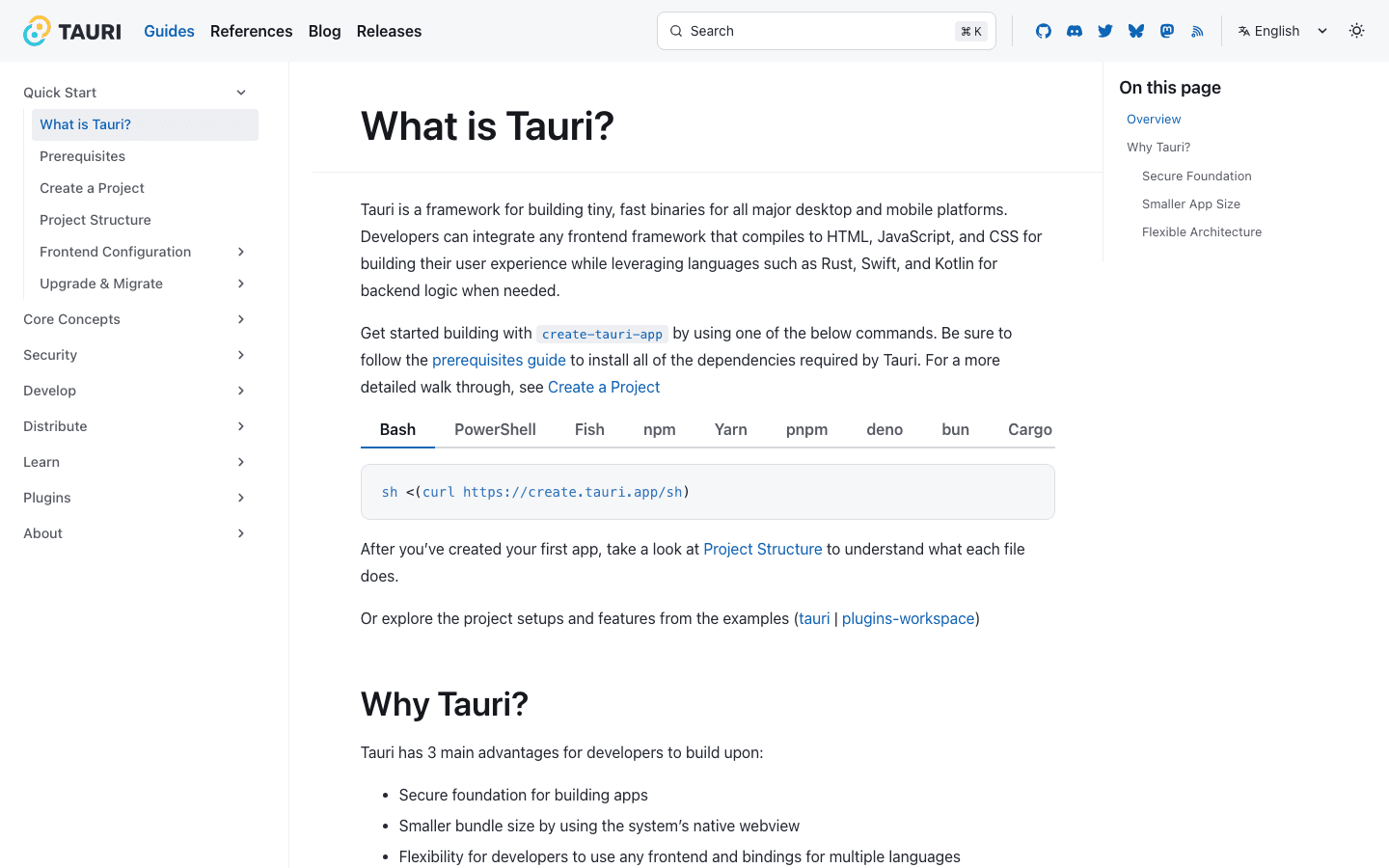
Tauri v2 is a desktop (and mobile) application framework that pairs a web-based frontend with a Rust backend : producing apps that are 20–50x smaller than equivalent Electron apps while running faster and using significantly less memory.
Released stable in October 2024 (Tauri v2.0 release announcement, GitHub), Tauri v2 is production-ready for most use cases. Real applications in production with Tauri include GitButler (a Git client with a React frontend and Rust backend that handles all Git operations), Authme (a 2FA authenticator), and Clash Verge (a proxy client). The GitButler codebase is open source and serves as an excellent reference implementation for a non-trivial Tauri v2 application.
For most teams, the strategic value is simple: Tauri gives you a way to turn existing frontend skills into a desktop product without accepting Electron's default tradeoff of large installers, higher memory usage, and an always-bundled Chromium runtime. That is why Tauri increasingly shows up in internal tools, developer products, local-first apps, and security-sensitive desktop workflows.
The architecture is straightforward:
┌──────────────────────────────────────────────────┐
│                  Your Desktop App                │
│                                                  │
│  ┌─────────────────────┐  ┌────────────────────┐ │
│  │   Frontend (UI)     │  │   Rust Backend     │ │
│  │   React/Vue/Svelte  │◄─┤   Native APIs      │ │
│  │   HTML/CSS/JS       │  │   File System      │ │
│  │   TypeScript        │  │   System Tray      │ │
│  └─────────┬───────────┘  └────────────────────┘ │
│            │     invoke() / IPC                  │
│  ┌─────────▼───────────────────────────────────┐ │
│  │     OS WebView (WKWebView / WebView2)        │ │
│  └─────────────────────────────────────────────┘ │
└──────────────────────────────────────────────────┘
What Changed from Tauri v1 to v2?
Tauri v2 (stable since October 2024) adds mobile targets, a rebuilt permission system, and a plugin-first architecture. Tauri v1 was desktop-only with a coarser allowlist.
| Area | Tauri v1 | Tauri v2 |
|---|---|---|
| Platforms | Windows, macOS, Linux | plus iOS and Android from the same core |
| Permissions | Global allowlist in tauri.conf.json | Per-window capability files with fine-grained permissions |
| Core APIs | Bundled in the framework | Split into official plugins (fs, dialog, shell, updater) |
| Mobile plugins | Not available | Rust plugins can expose Swift and Kotlin code |
| Config | tauri.conf.json v1 schema | New schema; tauri migrate automates most of the upgrade |
If you are upgrading an existing v1 app, run npm run tauri migrate first. It rewrites the config, moves allowlist entries to capabilities, and adds the plugin dependencies (Tauri v1 to v2 migration guide). The manual work that remains is usually import paths (@tauri-apps/api/tauri became @tauri-apps/api/core) and any custom Rust that used removed APIs.
If you are starting a new app in 2026, there is no reason to touch v1: begin on v2.
Who Should Read This?
This tutorial is written for frontend or full-stack developers with TypeScript experience who want to ship a cross-platform desktop app in 2026 : without learning a completely new UI paradigm.
This guide is specifically for web developers with JavaScript or TypeScript experience who want to ship a native desktop app without learning C++ or dealing with Electron's memory overhead. If you have never written Rust before, that is fine : a basic Tauri app requires very little Rust, and the patterns are introduced gradually here. If you are a backend engineer already comfortable with Rust, you will find the frontend integration straightforward.
If you know React, Vue, or Svelte and you want to build something that runs natively on macOS, Windows, and Linux, Tauri v2 is your most practical path. You do not need deep Rust knowledge to get started : the Rust side of a basic Tauri app is mostly boilerplate, and the invoke() pattern for calling Rust from JavaScript is straightforward. This guide assumes you have Node.js and Rust installed (rustup is sufficient) and covers everything from project setup to packaging.
If you are still deciding whether desktop is the right surface, read this alongside Tauri vs Electron 2026: Tauri Wins on Size, RAM, and Speed and Leptos vs Dioxus 2026: Leptos for Web, Dioxus for Cross-Platform. Those two articles answer the adjacent architecture questions this tutorial intentionally does not.
Bottom line: this tutorial is best for web engineers shipping internal tools, desktop SaaS, or local-first products. It is a weaker fit if you want zero Rust exposure or if your app absolutely depends on identical rendering across every platform.
How Do You Set Up a Tauri v2 Project?
Creating a Tauri app takes one command : npm create tauri-app scaffolds the project with your chosen frontend framework and all the Rust configuration ready to go. (See Tauri v2 Quick Start docs for the full prerequisites list per OS.)
# Install prerequisites
npm create tauri-app@latest my-app
# Choose: frontend framework (React/Vue/Svelte/etc.), TypeScript, Rust backend

cd my-app

# Project structure:
# my-app/
# ├── src/                    # Frontend (React/Vue/etc.)
# │   ├── App.tsx
# │   └── main.tsx
# ├── src-tauri/              # Rust backend
# │   ├── Cargo.toml
# │   ├── tauri.conf.json     # Tauri configuration
# │   └── src/
# │       ├── main.rs         # Entry point
# │       └── lib.rs          # Commands and logic
# └── package.json

# Development mode (hot-reload on both frontend and Rust changes)
npm run tauri dev

# Build for release
npm run tauri build
The npm run tauri dev command starts both the frontend dev server (with hot reload for UI changes) and the Rust compilation (which recompiles when Rust files change). Frontend changes appear in under a second; Rust changes take 5–30 seconds to recompile depending on project size and machine.
How Do Tauri Commands Work: Calling Rust from JavaScript?
The core pattern : expose Rust functions to the frontend:
// src-tauri/src/lib.rs
use tauri::State;
use std::sync::Mutex;

// Simple command : takes a name, returns a greeting
#[tauri::command]
fn greet(name: &str) -> String {
    format!("Hello, {}! You've been greeted from Rust!", name)
}

// Command with async : for I/O operations
#[tauri::command]
async fn fetch_data(url: String) -> Result<String, String> {
    reqwest::get(&url)
        .await
        .map_err(|e| e.to_string())?
        .text()
        .await
        .map_err(|e| e.to_string())
}

// Shared state between commands
struct AppState {
    counter: Mutex<i32>,
}

#[tauri::command]
fn increment_counter(state: State<AppState>) -> i32 {
    let mut count = state.counter.lock().unwrap();
    *count += 1;
    *count
}

// Register commands in the builder
pub fn run() {
    tauri::Builder::default()
        .manage(AppState { counter: Mutex::new(0) })
        .invoke_handler(tauri::generate_handler![
            greet,
            fetch_data,
            increment_counter,
        ])
        .run(tauri::generate_context!())
        .expect("error while running tauri application");
}
// Frontend (React + TypeScript) : call Rust commands
import { invoke } from '@tauri-apps/api/core';
// Call the greet command
const greeting = await invoke<string>('greet', { name: 'Alice' });
console.log(greeting); // "Hello, Alice! You've been greeted from Rust!"
// Async command with error handling
async function loadData(url: string) {
try {
const data = await invoke<string>('fetch_data', { url });
return JSON.parse(data);
} catch (error) {
console.error('Rust error:', error);
}
}
// State management
const count = await invoke<number>('increment_counter');The invoke() call is serialized as JSON, passed across the WebView IPC boundary, deserialized in Rust, and the return value follows the same path back. For most operations this is imperceptible : the serialization overhead is microseconds. For very high-frequency calls (thousands per second), batch operations to reduce crossing count.
What nobody tells you about Tauri v2: The binary size advantage is real and well-documented : a Tauri app is routinely 90%+ smaller than an equivalent Electron app. But cold start time is where most developers are surprised. It is fast, but it is not instant. The OS webview itself (WKWebView, WebView2) has an initialization cost that you do not control, and on Windows with WebView2 the first launch can feel noticeably slower than subsequent ones due to runtime caching. More counterintuitively, the hardest part of building a serious Tauri app is not Rust : it is designing the IPC boundary. Deciding what logic lives in Rust versus what stays in JavaScript, and how to structure the data flowing between them, is where architecture decisions get made. Getting that boundary wrong leads to over-chatty
invoke()calls or, conversely, a bloated Rust layer handling concerns that belong in the UI.
Bottom line: successful Tauri apps do not just "use Rust somewhere." They put file I/O, CPU-heavy work, secrets, and native integrations on the Rust side, while leaving presentation and short-lived UI state in the frontend.
3 spots open this month → Check if you are eligible.
We help experienced developers transition into Rust roles at €80K–€150K+ in Europe or $130K–$200K+ in the US.
How Do You Access the File System from Tauri?
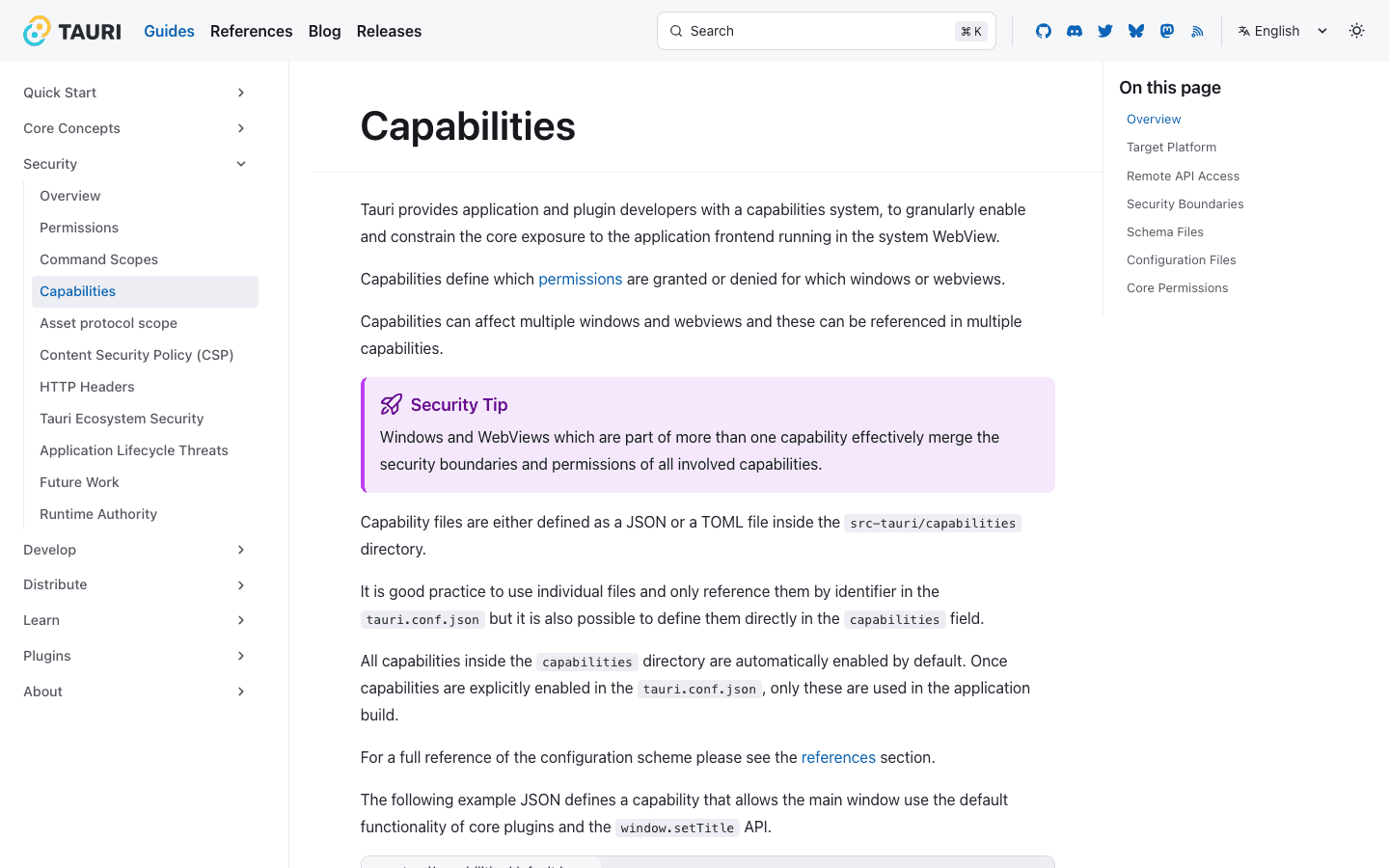
File system access in Tauri v2 requires explicit capability permissions : you declare exactly what your app can read and write, which is a meaningful security improvement over Electron. The capability model is documented in full at Tauri v2 Security docs.
// src-tauri/src/lib.rs : file operations
// Cargo.toml: run `cargo add tauri-plugin-dialog` (2.x)
// Builder: add `.plugin(tauri_plugin_dialog::init())` before `.run(...)`
use tauri_plugin_dialog::DialogExt;

#[tauri::command]
async fn read_file(path: String) -> Result<String, String> {
    std::fs::read_to_string(&path).map_err(|e| e.to_string())
}

#[tauri::command]
async fn write_file(path: String, content: String) -> Result<(), String> {
    std::fs::write(&path, content).map_err(|e| e.to_string())
}

#[tauri::command]
fn pick_file(app: tauri::AppHandle) -> Option<String> {
    // Native file picker : the v2 `dialog` plugin, not the removed v1
    // `tauri::api::dialog` module. `blocking_pick_file()` returns the
    // selected path or `None` if the user cancels.
    app.dialog()
        .file()
        .add_filter("Text files", &["txt", "md"])
        .blocking_pick_file()
        .map(|p| p.to_string())
}
The dialog, fs, shell, and updater APIs that lived in the framework in v1 are separate plugins in v2. Each one needs its crate added, its init() registered on the Builder, and its permissions listed in a capability file : the JSON below.
// src-tauri/tauri.conf.json : configure permissions
{
  "app": {
    "security": {
      "capabilities": [
        {
          "identifier": "default",
          "permissions": [
            "core:default",
            "fs:allow-read",
            "fs:allow-write",
            "dialog:allow-open",
            "dialog:allow-save"
          ]
        }
      ]
    }
  }
}
The capability system means that if your app's WebView is compromised through an XSS vulnerability, the attacker can only access what you have explicitly allowed. An app that only needs to read one specific directory should declare only that permission : not broad file system access.
How Do You Add a System Tray?
System tray support in Tauri v2 lets your app run in the background with a menubar icon : essential for productivity tools, monitoring apps, and anything that should persist after the main window is closed.
use tauri::{
    menu::{Menu, MenuItem},
    tray::{MouseButton, MouseButtonState, TrayIconBuilder, TrayIconEvent},
};

pub fn setup_tray(app: &tauri::App) -> tauri::Result<()> {
    let quit = MenuItem::with_id(app, "quit", "Quit", true, None::<&str>)?;
    let show = MenuItem::with_id(app, "show", "Show Window", true, None::<&str>)?;
    let menu = Menu::with_items(app, &[&show, &quit])?;

    let _tray = TrayIconBuilder::new()
        .icon(app.default_window_icon().unwrap().clone())
        .menu(&menu)
        .on_menu_event(|app, event| match event.id.as_ref() {
            "quit" => app.exit(0),
            "show" => {
                if let Some(window) = app.get_webview_window("main") {
                    window.show().unwrap();
                    window.set_focus().unwrap();
                }
            }
            _ => {}
        })
        .on_tray_icon_event(|tray, event| {
            if let TrayIconEvent::Click {
                button: MouseButton::Left,
                button_state: MouseButtonState::Up,
                ..
            } = event
            {
                let app = tray.app_handle();
                if let Some(window) = app.get_webview_window("main") {
                    window.show().unwrap();
                    window.set_focus().unwrap();
                }
            }
        })
        .build(app)?;

    Ok(())
}
How Does Tauri v2 Compare to Electron?
Tauri v2 is the better technical choice for most new desktop apps in 2026 : smaller, faster, and more secure. Electron remains the choice for teams with no Rust knowledge or applications requiring pixel-perfect CSS consistency across all platforms. The figures below are order-of-magnitude numbers for a minimal ("hello world") app: Tauri publishes continuous measurements at tauri-apps/benchmark_results, and the 2024 State of JS survey recorded Tauri's developer-satisfaction score passing Electron for the first time. Your real app's size and memory depend on your frontend bundle and which plugins you pull in.
| Feature | Tauri (Rust) | Electron (Node.js) |
|---|---|---|
| Bundle size | ~5–10 MB | ~120 MB+ |
| Memory usage | ~30 MB | ~150 MB+ |
| Startup time | ~0.3s | ~1–2s |
| Security model | OS webview | Chromium embedded |
| Backend language | Rust | JavaScript/Node.js |
| Native API access | Via Rust | Via Node.js |
| Performance | Native | JIT interpreted |
| Mobile support | iOS + Android (v2) | No |
| CSS consistency | Varies (OS webview differs) | Consistent (same Chromium) |
| Job market | Growing | Established |
| Learning curve | Steeper (Rust) | Easier |
Tauri is still a niche skill next to backend Rust, but it is a real differentiator for product and full-stack engineers at US companies building native tooling, where performance and security are hiring priorities. It reads best on a resume as "I shipped and packaged a real desktop app," not "I completed a Tauri tutorial."
The one area where Electron has a real advantage is CSS rendering consistency. WKWebView (macOS/iOS), WebView2 (Windows), and WebKitGTK (Linux) render some CSS features slightly differently. For most apps this is not a practical issue, but it requires testing on all three platforms before shipping.
If you are still deciding at the strategic level rather than implementation level, Tauri vs Electron: Which Should You Use for Desktop Apps? is the sharper decision article. If your next question is which Rust UI stack pairs best with Tauri, read Leptos vs Dioxus: Choosing a Rust Frontend Framework in 2026.
| Decision | Better choice |
|---|---|
| Best for internal tools, local-first apps, and security-sensitive desktop software | Tauri |
| Best for teams with strong web skills and some willingness to learn Rust | Tauri |
| Best for teams that need one renderer identical on every platform | Electron |
| Best for teams that refuse any Rust in the stack | Electron |
| Best long-term technical upside for Rust-leaning product teams | Tauri |
Bottom line: For new desktop apps in 2026, choose Tauri v2 unless your team has zero Rust experience or your app depends on pixel-perfect CSS consistency across all platforms : the 20x bundle size reduction and built-in security model make it the stronger default.
How Do You Build and Package a Tauri App?
Tauri's build system produces platform-native installers automatically : .dmg on macOS, NSIS installer on Windows, and .deb/.AppImage/.rpm on Linux from a single command.
# Build for current platform
npm run tauri build
# Output: src-tauri/target/release/bundle/
#   macOS: .app + .dmg
#   Windows: .exe installer (NSIS or WiX)
#   Linux: .AppImage, .deb, .rpm

# Cross-compile (requires GitHub Actions for other platforms)
# See: https://tauri.app/distribute/

# Tauri's built-in signing (macOS/Windows code signing)
# Configure in tauri.conf.json:
# {
#   "bundle": {
#     "macOS": { "signingIdentity": "Developer ID Application: ..." },
#     "windows": { "certificateThumbprint": "..." }
#   }
# }
For CI/CD, Tauri's GitHub Actions workflow handles cross-platform builds automatically. The recommended pattern is to build on each platform's native runner (macOS runner for .dmg, Windows runner for .exe, Ubuntu runner for Linux packages) since cross-compilation for desktop apps with WebView dependencies is complex.
What Common Mistakes Do Tauri Developers Make When Building Their First App?
Tauri's architecture introduces several pitfalls that are not obvious from the documentation : knowing them in advance saves significant debugging time.
-
Forgetting to declare capabilities before calling APIs. Every native API call (file system, dialogs, clipboard, notifications) requires an explicit capability in
tauri.conf.json. The error you get when a capability is missing is a JavaScript promise rejection with a non-obvious message. Always check the capability configuration first when a Tauri API call fails silently. -
Using blocking operations in Tauri commands without
async. Synchronous file reads or network calls inside#[tauri::command]functions block the Tauri runtime thread. Mark commands that do I/O asasync: this moves them to Tokio's thread pool and keeps the UI responsive. -
Not testing on all three OS webviews. CSS that looks perfect on macOS with WKWebView may have layout issues on Windows with WebView2, especially with newer CSS features like
scroll-driven animationsor advanced grid properties. Set up CI to build and smoke-test on all three platforms before release. -
Putting too much logic in the frontend. The Rust backend is where Tauri shines: CPU-intensive operations, file parsing, encryption, and anything that would block the UI thread in a pure browser app should be a Rust command. Developers with a frontend background sometimes default to doing heavy processing in JavaScript; move it to Rust.
-
Not handling the window close event for background apps. For apps with a system tray, you typically want
window.close()to hide the window rather than quit the application. This requires listening to theclose-requestedevent in Rust and preventing default close behavior.
The pattern behind most beginner mistakes is architectural, not syntactic. Teams treat Tauri like a normal frontend app plus a thin native wrapper, then discover too late that desktop apps need a cleaner split between UI state, OS integration, and long-running local tasks. If you design that boundary early, most of the friction disappears.
What Are the Most Common Mistakes When Migrating from Electron to Tauri?
Electron developers migrating to Tauri consistently hit the same set of architectural surprises : the biggest being that the Rust backend is not Node.js and does not share any of its APIs.
-
Assuming Node.js APIs are available in the Rust backend. There is no
fs,path,child_process, orcryptofrom Node.js. Every native operation must go through Rust's standard library or a Rust crate. The mental model shift is real: your backend is now a compiled Rust binary, not a Node.js process. -
Blocking the main thread with synchronous Rust calls. Developers used to synchronous Node.js file operations often write blocking Rust inside
#[tauri::command]functions. Any I/O: file reads, HTTP calls, database queries : must beasync. Blocking the Tauri runtime thread causes the entire UI to freeze, which is harder to debug than the equivalent mistake in Electron. -
Not handling IPC serialization correctly. Tauri's
invoke()serializes arguments as JSON. Rust types that do not implementserde::Serialize/serde::Deserializecannot cross the IPC boundary. Electron developers are used to passing arbitrary JavaScript objects; in Tauri you must define explicit Rust structs with#[derive(Serialize, Deserialize)]for anything complex. -
Underestimating Rust ownership in event handlers. Tauri event handlers that capture shared state require
Arc<Mutex<T>>: you cannot simply close over a mutable reference the way you would in a JavaScript callback. This is Rust's ownership model working correctly, but it surprises developers who expect JavaScript's closure semantics. -
Skipping the capability declaration step. In Electron, native APIs are available by default (which is a security weakness). Tauri requires explicit capability declarations in
tauri.conf.json. Missing a capability produces a silent promise rejection: not an obvious error : which wastes debugging time for teams unfamiliar with the permission model.
Which Companies Are Already Using Tauri in Production?
Tauri has moved well beyond hobby projects : several shipping applications and funded companies have adopted it for production desktop tooling.
-
GitButler: an open-source Git client (YC-backed) with a SvelteKit frontend and Rust backend handling all Git operations. The most complete public reference implementation of a non-trivial Tauri v2 app. Source: github.com/gitbutlerapp/gitbutler.
-
Hoppscotch: the open-source API client (Postman alternative) ships a desktop version built with Tauri, leveraging Rust for native HTTP handling that bypasses browser CORS restrictions.
-
Gitify: a GitHub notification manager for macOS/Windows/Linux, migrated to Tauri from Electron, citing a 10x reduction in bundle size and significantly lower memory usage as the primary drivers (Gitify migration post).
-
1Password: publicly evaluated Tauri for internal tooling (referenced in their engineering blog), ultimately using it for specific internal developer tools while keeping the main app on a different stack.
-
Authme: a 2FA authenticator app in production on Tauri, handling TOTP secrets and local encrypted storage through the Rust backend.
The pattern across all of these: Rust handles anything security-sensitive or CPU-intensive; the web frontend handles UI. Teams with existing TypeScript skills adopt this split naturally after getting past the Rust learning curve.
If You Want to Ship a Tauri App Faster?
If you want to ship a Tauri app faster, learn just enough Rust to own the backend boundary well instead of trying to become a full systems expert first.
That usually means getting comfortable with:
Result/Optionerror handling- async Rust for file, network, and background work
- shared state patterns like
Arc<Mutex<T>> - Serde structs for IPC payloads
- the discipline of moving sensitive or expensive work out of JavaScript
Learning Tauri alongside Rust's ownership model simultaneously can slow both. If you want structured guidance on the Rust fundamentals that underpin Tauri's backend : ownership, async, error handling : Rustify's 9-week Fullstack Rust bootcamp covers exactly this, with real project work that translates directly to Tauri development. Book a call if you want a straight answer on whether it fits where you are now.
For self-study, the most useful adjacent paths are The Best Way to Learn Rust in 2026 (For Experienced Developers) and Best Rust Learning Path 2026: From Beginner to Hired. They are a better next step than jumping randomly between frontend and systems tutorials.
Frequently Asked Questions
Yes : WKWebView (macOS/iOS), WebView2 (Windows), and WebKitGTK (Linux) have minor CSS differences. Test on all platforms before shipping. For pixel-perfect consistency, use CSS resets and avoid cutting-edge browser-specific features. The practical impact for most apps (standard components, forms, lists, modals) is minimal : the issues appear with advanced animations and newer grid/container query features. This is the main tradeoff vs Electron's consistent Chromium renderer, and for most teams it is a worthwhile trade for the 20x reduction in bundle size.
Yes : any web framework works. For Next.js, set output: 'export' in next.config.js (the old next export command was removed in Next.js 14) so Tauri can serve static files from the bundle : Next.js server-side rendering does not apply in a desktop context, and next dev still works as the Tauri dev server via beforeDevCommand. For Vite-based setups (React, Vue, Svelte), Tauri integrates natively with Vite's dev server for hot reload during development.
Tauri v2 supports iOS and Android via the same Rust core and web frontend. The mobile support is newer and less mature than the desktop support, which has been stable since Tauri v1. For production mobile apps where reliability is critical, evaluate flutter_rust_bridge or UniFFI as more mature alternatives. For internal tools or early-stage products, Tauri v2 mobile is functional.
Tauri's built-in updater plugin checks a configured URL for a release manifest, compares versions, and handles downloading and installing updates. Configure plugins.updater in tauri.conf.json with your update server URL. The updater supports cryptographic signature verification for update packages, preventing update hijacking. For the server side, GitHub Releases with a static JSON manifest is the simplest setup.
Basic Rust is sufficient for most Tauri apps. You need to understand functions, structs, Result and Option types, and the async/await pattern. The borrow checker is relatively forgiving for simple Tauri command functions that take owned values and return Result<T, String>. Deep Rust knowledge (lifetimes, trait objects, async runtimes) becomes important when building complex backends with shared state, background workers, or performance-critical logic.
Yes : Tauri v2 supports multiple windows, each with their own WebView. Create additional windows from Rust using tauri::WebviewWindowBuilder or from JavaScript using @tauri-apps/api/webviewWindow. Windows can communicate via Tauri's event system : app_handle.emit("event-name", payload) sends to all windows; window.emit() targets a specific window.
Tauri is an especially strong fit for internal tools, developer tools, local-first apps, database clients, editors, API clients, sync utilities, and security-sensitive desktop workflows. These products benefit directly from smaller bundles, native file access, lower memory usage, and the ability to move sensitive logic into Rust. It is a weaker fit for apps whose main selling point is flawless cross-platform visual uniformity or teams that want a pure JavaScript stack forever.
Stay on Electron if you already have a mature Electron codebase that is stable, profitable, and not suffering from bundle size, startup, or memory problems. Also stay on Electron if your team has zero appetite for Rust and no product reason to change the architecture. Tauri is strongest when you are starting a new desktop app or when Electron's cost profile is already hurting you.
Less than most people think. You do not need lifetimes, unsafe Rust, or deep trait design to ship a useful Tauri app. You do need to understand functions, structs, enums, Result, async, and basic shared-state patterns. In practice, many frontend engineers can become productive in Tauri once they can write a few clean command handlers and debug Serde payloads confidently.
Related Glossary Terms
- Tauri: Tauri's architecture, commands, and IPC model explained
- Async/Await: Tauri commands use async Rust for non-blocking IPC between frontend and backend
- Tokio: The async runtime executing Tauri's Rust backend commands
- Serde: Serializes Rust types to/from JSON across Tauri's JS–Rust bridge
- serde_json: JSON encoding/decoding used in Tauri's IPC bridge
- Feature Flags: Tauri's capability system maps to Cargo feature patterns
- Enum: Tauri errors and custom events are modeled as Rust enums
- thiserror: Derive macro used to define typed Tauri command errors
Keep Reading
- Tauri vs Electron 2026: Tauri Wins on Size, RAM, and Speed
- Leptos vs Dioxus 2026: Leptos for Web, Dioxus for Cross-Platform
- The Best Way to Learn Rust in 2026 (For Experienced Developers)
- Best Rust Learning Path 2026: From Beginner to Hired

